MP3 Cutters: Split MP3 Files Into Multiple Audio Tracks and Vice-Versa
DI Reader
Ashish Gupta has an interesting question - "Do you have any easy to use freeware to split mp3 file into smaller mp3 (at user defined points)? I know Virtual Dub that does same to video files."
MP3 Splitter utilities let you easily trim the not-so-interesting portions of a podcast show, music recording or even a CD song. This reduces the file size and your friends won't get bored as they get to listen only the relevant parts of the audio clip.
While there are tons of free and commercial MP3 Trimming software, the most popular ones are MP3Splt and MP3DirectCut - both are free and keep the music quality intact as they directly in the MP3 format without having to decode/re-encode.
Command Line Utility for Splitting MP3 files
MP3Splt is a free but amazing command-line utility that can split mp3 and ogg files from a begin time to an end time. MP3Splt can even detect silent points in your audio clip and split the track accordingly.
mp3splt -t 10.00 album.mp3 [Split album.mp3 in many equal-sized parts of 10 minutes each.]
mp3splt album.mp3 10.12 14.25 -o out.mp3 [Split album.mp3 starting at 10min 12sec, ending at 14mins 25sec and save the mp3 slice in a new file called out.mp3]
Mp3Splt is available for Mac, Windows, DOS and Linux platforms. [
Download]
GUI Based MP3 Splitter Software
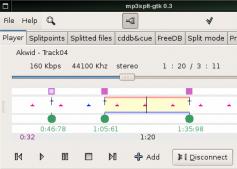
MP3DirectCut is Windows based audio editor that also supports splitting of Audio CDs into smaller MP3 files. You can visually select and divide portions of mp3 files or use the command line.
The audio quality is preserved as the editing is done directly on the MP3 file without conversion to other formats. Can also be used to join mp3 file without re-encoding. Tiny footprint and does the job exceptionally well. [
Download]
Advanced MP3 Splitting
While the above two utilities should satisfy most of your needs, if you are looking for that extra power, download
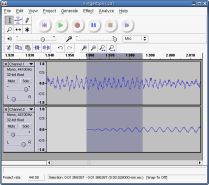
Audacity with Lame MP3 encoder. It's free and has tons of advanced audio editing features with visual waveforms, sound effects and more.


 DI Reader Ashish Gupta has an interesting question - "Do you have any easy to use freeware to split mp3 file into smaller mp3 (at user defined points)? I know Virtual Dub that does same to video files."
 The audio quality is preserved as the editing is done directly on the MP3 file without conversion to other formats. Can also be used to join mp3 file without re-encoding. Tiny footprint and does the job exceptionally well. [Download]
 Kiss YouTube offers an innovative approach for downloading video clips from Youtube. No browser bookmarklets, no software to install, just remember the KISS "Keep It Sweet & Simple" principle.


 Do you have videos on VHS tapes or DVDs that you would like to post on YouTube or Google Video ?